
In recent times, AI has changed the data analysis job equation. Today, all you have to do is upload a messy CSV, type in the question in simple English, and get a clean chart back in seconds.
But “the best AI tool for data analysis” isn’t a single answer. A marketer digging into campaign data needs something completely different from a data scientist running churn models, and a solo founder requires something else entirely. This guide covers the tools that truly matter in 2026, their costs (sourced directly from official pricing pages), and—most importantly—how to choose the right tool for your specific situation, rather than just picking whatever ranks first on Google.
Quick Answer
If you only read one section, read this one.
- Best all-around for beginners: ChatGPT or Claude — upload a file, ask questions in plain English, get instant charts
- Best for business dashboards on a budget: Power BI
- Best for polished, presentation-ready visuals: Tableau
- Best for chatting directly with your data: Julius AI
- Best for large enterprises with governed data: ThoughtSpot
- Best free option: Metabase (self-hosted) or the free tiers of ChatGPT/Claude/Gemini
- Best for data teams writing real code: Databricks
The reasoning behind each pick follows below.
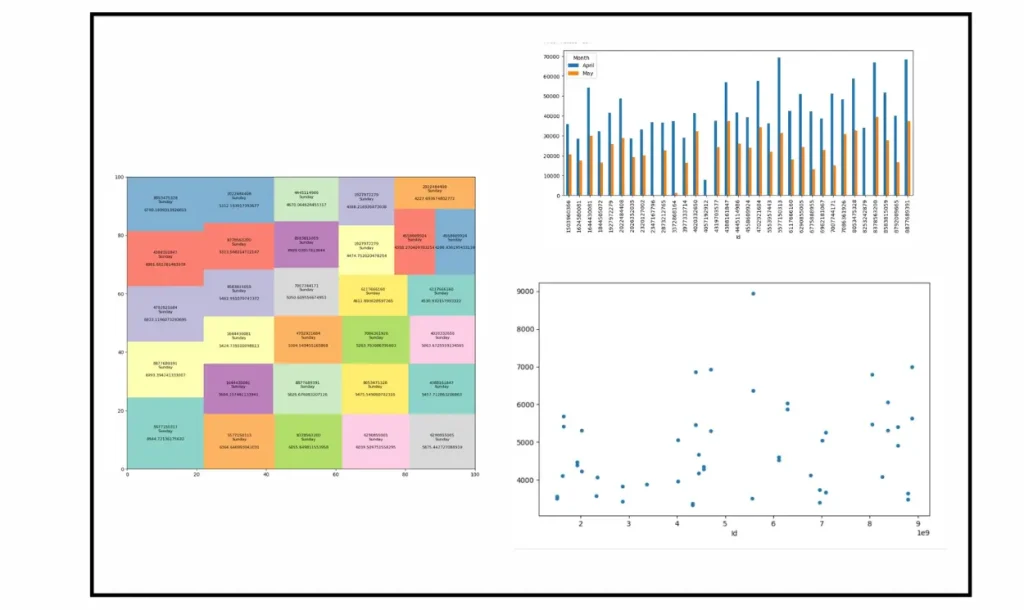
Comparison Table: AI Data Analysis Tools at a Glance
| Tool | Best For | Free Tier | Starting Price | Natural Language Queries |
| ChatGPT (OpenAI) | Quick file exploration | Yes | $20/month (Plus) | Yes |
| Claude (Anthropic) | Careful, detailed analysis with visuals | Yes | $20/month (Pro) | Yes |
| Gemini (Google) | Google Workspace users | Yes | $19.99/month (AI Pro) | Yes |
| Power BI (Microsoft) | Enterprise dashboards on a budget | Desktop is free | $14/user/month (Pro) | Yes (Copilot) |
| Tableau (Salesforce) | Polished visual storytelling | No (trial only) | $15/user/month (Viewer) | Yes (Tableau Pulse) |
| Julius AI | Conversational data chat | Yes (15 messages/month) | $35/month (Plus) | Yes |
| ThoughtSpot | Enterprise self-service BI | Yes (Developer tier) | $25/user/month | Yes (Spotter) |
| Databricks | Data science teams, large datasets | Free trial credits | Pay-as-you-go | Limited (code-first) |
| Metabase | Free, self-hosted BI | Yes (open-source) | Free to self-host | Basic |
Prices reflect each vendor’s official pricing page at the time of writing and can change — always double-check before you buy.
What “AI-Powered” Data Analysis Actually Means
Traditional analytics tools put all the thinking on you. You have to know the right questions beforehand, write SQL queries yourself, or create pivot tables to spot trends. The tool simply carried out your instructions – it never told you anything you hadn’t already asked.
AI-powered tools transform that dynamic. You describe what you need in everyday language — “Show me which product line lost the most customers last quarter” — and the tool writes the query, performs the analysis, and gives you a chart with an explanation in plain English. Some tools now go a step further and act on what they find, showing errors or creating full reports without asking you for every step.
This change is important because it makes data analysis possible even for those who have never learned SQL or Python. However, this doesn’t eliminate the need for a decision – you still need to know whether the answer is right for your business.
How We Compared These Tools
We didn’t rank these tools by marketing copy. We looked at five practical factors that actually affect your day-to-day experience:
- Scope — Does the tool handle the whole workflow (connect, clean, analyze, visualize, share), or just one piece of it?
- Data scale — Can it comfortably handle a real dataset with millions of rows, or does it struggle past a small CSV?
- Transparency — Can you see the logic, formula, or code behind an answer, or does it feel like a black box?
- Integrations — Does it connect to the tools you already use (spreadsheets, warehouses, CRMs)?
- Pricing clarity — Is the cost predictable, or does it hide fees behind “contact sales”?
We also checked every price against the vendor’s own pricing page rather than trusting older articles, since AI pricing changes fast.
General-Purpose AI Assistants:
If you just need a quick answer from a spreadsheet and don’t want to set anything up, start here.
ChatGPT
lets you upload a CSV, Excel file, or PDF and ask questions directly. Behind the scenes, it writes and runs Python code, then hands you back a chart and a written explanation. It’s a solid pick for one-off exploration — cleaning suggestions, quick summaries, exploratory charts. The catch: it works best on smaller files, it doesn’t maintain a live connection to your data warehouse, and it isn’t built for repeatable business reporting. ChatGPT Plus runs $20/month, with higher-usage Pro tiers at $100 and $200/month for people who hit limits often.
Claude
takes a similar approach — upload a file, ask a question, and it writes and runs code in a sandbox to produce charts and analysis, often generating an interactive visualization you can keep working with. It tends to show its reasoning clearly, which helps when you need to double-check how it reached a number. Like ChatGPT, it’s strongest for solo, ad-hoc analysis rather than governed team reporting, since it doesn’t include a built-in permissions model. Claude Pro costs $20/month, with Max plans at $100 and $200/month for heavier use.
Gemini
makes the most sense if your data already lives inside Google Sheets, BigQuery, or Google Analytics. It integrates natural language querying directly into tools you’re probably already using, so you’re not exporting files back and forth. Google AI Pro runs $19.99/month.
Which one to pick?
all three work well as an easy entry point into AI data analysis, and all three offer usable free tiers. Go with whichever ecosystem you already live in — Microsoft, Google, or neither.
Enterprise BI Platforms with AI Built In:
When your team needs shared dashboards rather than one-off answers, standard chat tools fall short.
Power BI
It remains the most budget-friendly Serious BI platform, especially if your organization already pays for Microsoft 365. Its AI layer, Copilot, lets you describe your desired report in plain English and get a working visualization, and it can even write internal DAX formulas for you. Power BI Pro costs $14 per user per month, and moving up to the Premium per user plan for $24 per user per month gives you access to larger datasets and more advanced AI features. Power BI Desktop is free for building reports.
Tableau
It leads the pack when it comes to visual appeal. If your dashboard needs to look good in front of executives or clients, Tableau’s charting options are hard to beat. Its AI features — Tableau Pulse for proactive alerts and Ask Data for natural language queries — bring it on par with competitors, though they lag behind the more expensive tiers. Pricing varies by role: Viewer access starts at $15 per user per month, Explorer at $42, and full Creator access (which includes Tableau Desktop) at $75, all billed annually.
In practice:
go with Power BI if cost matters and you’re already in the Microsoft ecosystem. Go with Tableau if visual storytelling is the priority and your budget has more room.
AI-Native Conversational Analytics:
These tools were built from day one around asking questions in plain language rather than bolting a chatbot onto an old dashboard.
Julius AI
It’s like having a conversation with a personal data analyst. Simply connect a spreadsheet or live database, ask a question, and it gives you a chart, a written summary, and the option to search for further information. It excels at creating reusable “notebooks” for recurring monthly reports. The free plan gives you 15 messages, which quickly runs out – the Plus plan ($35/month) offers more features, and the Pro plan ($45/month) removes the message limit altogether and also adds live database connectors.
ThoughtSpot
This is for larger companies that need search-based analytics on controlled datasets. Just type a question, and it instantly generates a chart—no SQL coding required. Its AI agent, Spotter, creates and validates queries based on your company’s data model, so the entire team gets the same answers, rather than everyone calculating differently. Pricing starts at $25 per user per month for the Essentials tier, the Pro tier (which includes the Spotter AI agent) is $50 per user per month, and there’s also a free developer tier available for small technical teams.
Who’s right for: Julius AI is perfect for individuals and small teams who want a fast and conversational tool. ThoughtSpot is perfect for medium to large companies where everyone needs to ask questions based on the same reliable dataset.
For Data Teams and Budget-Conscious Users
Not every reader requires enterprise BI. There are two important categories to know about:
Databricks is designed for data engineering and data science teams that work with large and complex datasets—datasets that could crash a spreadsheet or uploaded CSV file. This isn’t a plug-and-play chat tool; rather, it is an infrastructure platform for technical teams. It’s priced on a pay-as-you-go model based on actual compute usage, so the cost depends on how much processing you actually do.
Metabase is a free, open-source option that you can host yourself without any software costs. This is a great option for teams that want complete control without a subscription. It doesn’t offer as many advanced AI features as Julius AI or ThoughtSpot. But thanks to straightforward dashboards and point-and-click exploration, it removes the SQL barrier for non-technical team members. Paid, cloud-hosted plans are also available if you prefer not to manage the infrastructure yourself.
If your goal is to create stunning, publication-ready charts for an article or report, rather than for an internal dashboard, it might be worth looking at tools like Datawrapper – they offer a great free plan for creating and embedding charts, and paid tiers also offer white-label branding.
How to Choose the Right Tool for You
Skip the temptation to pick whichever tool tops a “best of” list and answer these four questions instead:
- Where is your data located? Tools like ChatGPT, Cloud, or Julius AI are useful for local CSV files. Tools like Power BI, Tableau, ThoughtSpot, or Databricks are better for data warehouses.
- Who will actually use it? The needs of a single business owner are very different from those of a team of 40 people who need a shared dashboard and permission control.
- What will the final output be? A small chart created for a meeting is different from the regular and scheduled reports that the entire company relies on.
- What is your actual budget? The ‘per-seat’ (per user) pricing of enterprise BI tools adds up quickly — a team of 20 with a Tableau Creator license costs $1,500/month, and that doesn’t include any extra features.
Your answer to those four questions matters more than any ranking on this page, including ours.
Limitations Worth Knowing Before You Commit
AI data tools are very useful, but they aren’t magic, and an honest guide should make this clear:
The rule of wrong inputs leading to wrong outputs applies here too. If your original data is disorganized or inconsistent, the information you get from AI is likely to lead to inaccurate results.
Standard chat tools struggle to handle operations at scale. While ChatGPT, Claude, and Gemini work well with small files, their capabilities are limited when dealing with massive or unstructured datasets.
Governance is crucial for teams. Individual AI chat tools do not offer the access controls or the “single source of truth” that enterprise BI platforms provide.
AI can make errors in mathematical calculations. Always verify any unexpected results before presenting them to your boss or client.
Frequently Asked Questions
ChatGPT, Claude, and Gemini all offer usable free tiers for occasional file analysis. If you want something with no subscription at all, Metabase is free and open-source when self-hosted.
Yes. Upload a CSV or Excel file, ask ChatGPT to chart it, and it writes the underlying code and returns a visual along with an explanation.
Power BI Desktop is free for individual use, but Copilot and most AI features require a Pro ($14/user/month) or Premium Per User ($24/user/month) license.
No. Every tool in this guide is designed around natural language — you type a question and it does the technical work behind the scenes. Coding knowledge helps if you want to verify or customize the output, but it isn’t required to get started.